
Medical Wizards Library3.4.1 - Get APK
You'll be able to download in few seconds.
Publisher Description
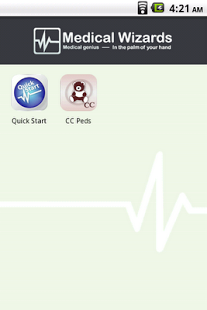
The Medical Wizards Library is a collection of award winning medical reference guides and decision support tools for healthcare professionals across a wide range of specialties. It is an easy-to-use, customizable, application where you can build the perfect, personalized clinical resource.
Get a complimentary extended preview of Emergency Medicine Suite (EM Suite) with download!
===============================================================
ONE MEDICAL APP WITH EVERYTHING YOU NEED
Browse the Add-Ons to view the extensive list of medical reference titles available. The first year of updates is included with purchase and our products never expire.
FREE PREVIEWS OF ALL OUR APPS!
The Add-Ons catalog allows you to download a free, 10-day preview of each reference. We invite you to try our software and see for yourself why healthcare practitioners are turning to Medical Wizards as their trusted mobile medical resource.
Popular software titles available through the Medical Wizards Library include:
- Emergency Medicine
- Critical Care
- Family Practice
- Internal Medicine
- Cardiology
- Pediatrics
- Dermatology
- Anesthesiology
- Neurology
- Gastroenterology
- Hematology
and more!
How it works
The Medical Wizards Library provides one point of access for all your medical software, allowing you to keep important medical information at your fingertips. By combining all your resources into one standard application, you can freely cross-reference among multiple purchased medical titles at once. The Medical Wizards Library features an easy-to-use interface, quick navigation, an in-depth user guide, and automatic product update notifications. From the main Medical Wizards Library screen, tap the Menu button on your device to see the menu options: Add-ons, Search, My Account, Updates.
LIBRARY
The Library is the main application screen. When you initially download the application a "Quick Start" icon will appear. Tapping this icon will launch a Quick Start Guide which will guide you around the Medical Wizards Library. When you add new software titles, they will all be listed on this screen.
SEARCH
The search feature allows you to search medical topics and conditions across multiple references at once to ensure easy organization and information flow.
ADD-ONS
The Add-Ons catalog includes over 100 programs for a wide range of medical specialties. Instantly browse and purchase your favorite medical title in seconds!
ACCOUNT
Create and manage your Medical Wizards account information.
UPDATES
Resources are constantly updated to ensure that you are receiving the most current medical information. The Medical Wizards Library will automatically check for available updates. Select the updates icon to purchase your updates.
CUSTOMER SUPPORT
Medical Wizards Customer Support team is here to help you!
Email us using our form at www.medicalwizards.com/support/contact
Call our Customer Support team at 800.462.0388 M-F, 9am-5pm, PT (US).
For frequently asked questions visit www.medicalwizards.com/faq/
About Medical Wizards Library
The company that develops Medical Wizards Library is Medical Wizards, LLC. The latest version released by its developer is 3.4.1.
To install Medical Wizards Library on your Android device, just click the green Continue To App button above to start the installation process. The app is listed on our website since 2013-04-17 and was downloaded 0 times. We have already checked if the download link is safe, however for your own protection we recommend that you scan the downloaded app with your antivirus. Your antivirus may detect the Medical Wizards Library as malware as malware if the download link to vspringboard.medical.views is broken.
How to install Medical Wizards Library on your Android device:
- Click on the Continue To App button on our website. This will redirect you to Google Play.
- Once the Medical Wizards Library is shown in the Google Play listing of your Android device, you can start its download and installation. Tap on the Install button located below the search bar and to the right of the app icon.
- A pop-up window with the permissions required by Medical Wizards Library will be shown. Click on Accept to continue the process.
- Medical Wizards Library will be downloaded onto your device, displaying a progress. Once the download completes, the installation will start and you'll get a notification after the installation is finished.
Program Details
System requirements
Download information
Pricing
Version History
version 3.4.1
posted on 2013-04-17
Addresses issues some users were reporting on limited device/OS combinations.
version 1.0
posted on 2011-04-12
Several fixes and updates
Disclaimer
External Download
We do not host Medical Wizards Library on our servers. We did not scan it for viruses, adware, spyware or other type of malware. This app is hosted by Galad and passed their terms and conditions to be listed there. We recommend caution when installing it.
The APK Download link for Medical Wizards Library is provided to you by apps112.com without any warranties, representations or guarantees of any kind, so access it at your own risk.
If you have questions regarding this particular app contact the publisher directly. For questions about the functionalities of apps112.com contact us.
